

Latest Version
Fabian Pimminger
Entertainment
Mac
$4.99
566429668
Report a Problem
More About SofaPlay DLNA Media Streaming
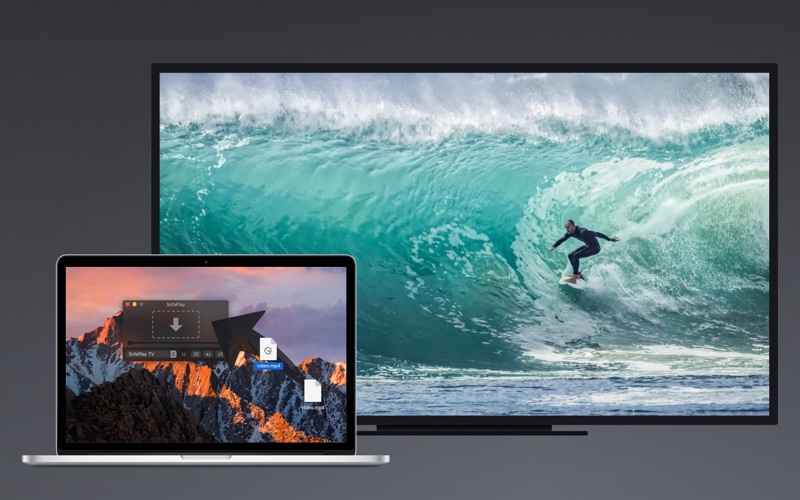
If you have ever wanted a hassle-free way to stream media from Mac to TV, SofaPlay Mac media streaming offers an elegant, zero-configuration solution. Developed by Fabian Pimminger, this lightweight utility bridges the gap between your macOS device and your living room television without requiring complex server setups or technical expertise.
The Simplicity of SofaPlay Mac Media Streaming
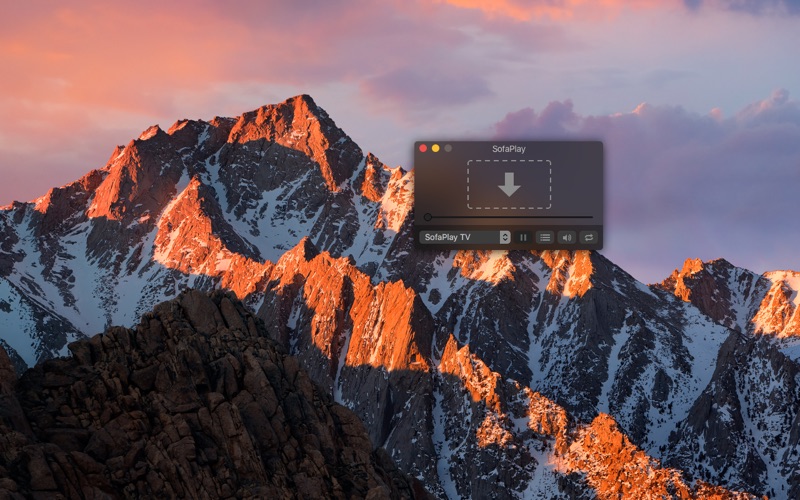
Unlike heavy media server software that requires constant indexing and configuration, SofaPlay operates on a simple drag-and-drop philosophy. You simply launch the application, drag any compatible video or audio file onto the interface, and it instantly begins playing on your big screen. Your Mac remains in full control of the playback, managing the stream behind the scenes while you relax on the couch.
Key Features and Device Compatibility
SofaPlay is built to work seamlessly with modern home entertainment hardware. Key integration features include:
- Universal UPnP/DLNA Support: Connects automatically to any Smart TV or Blu-Ray player acting as a Digital Media Renderer.
- Apple TV Integration: Dedicated support via the SofaPlay TV companion app available on the Apple TV App Store.
- Xbox One Compatibility: Easily stream your favorite music and video files directly to your Xbox One console.
- Touch Bar Support: Control playback, scrubbing, and volume directly from the Touch Bar on compatible MacBook Pro models.
Who Is This App For?
This utility is ideal for Mac users who want to watch downloaded movies, home videos, or listen to music on their main television without transferring files to a USB drive or dealing with complex network shares. It is designed specifically for those who value speed and simplicity over complex media library management. Since it relies on UPnP/DLNA standards, a wired or wireless network connection on both your Mac and your playback device is all that is required.
Important Considerations Before Purchasing
Before committing to the premium version, users should verify that their receiving devices are fully compatible. The developer provides a free testing utility to ensure your Smart TV or console supports the digital rendering standard required for smooth playback. Checking your setup beforehand ensures a flawless streaming experience.
To experience this streamlined streaming solution for yourself, you can find more details and purchase the application directly on the official Mac App Store.
Rate the App
User Reviews










Popular Apps










Editor's Choice